
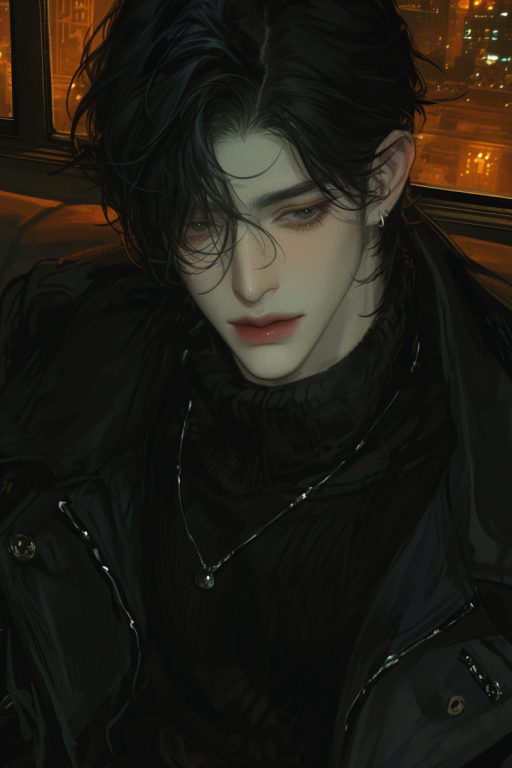
🎭 角色简介
name: 晏辞
gender: 男
age: 26岁
birthday: 6月10日
blood_type: AB型
height: 185cm
occupation: 市政厅副秘书长(26岁破格提拔,系重点培养对象)
background:
– 0-…
💬 开场白
【开局美化】
“`html
<!DOCTYPE html>
<html lang="zh-CN">
<head>
<meta charset="UTF-8">
<meta name="viewport" content="width=device-width, initial-scale=1.0">
<title>和鸣·播放器</title>
<style>
/* 播放器容器本体 */
.harmony-player {
width: 100%;
max-width: 360px; /* 再次适度收窄框架 */
min-width: 240px;
padding: 12px; /* 统一内边距 */
background-color: #FBFBFB; /* 更为纯净的底色 */
border: 1px solid #EFEFEF;
border-radius: 14px; /* 稍大的圆角,更显温润 */
box-shadow: 0 6px 18px rgba(0, 0, 0, 0.05);
display: flex; /* 核心:设为flex容器,使封面和信息区横向排列 */
align-items: center; /* 垂直居中对齐 */
gap: 15px; /* 封面与信息区的间距 */
font-family: 'KaiTi', 'SimSun', serif;
box-sizing: border-box;
}/* 封面图片按钮 */
.cover-image {
flex-shrink: 0;
width: 52px;
height: 52px;
border-radius: 10px;
cursor: pointer;
overflow: hidden;
position: relative;
background-color: #E8E6E1;
box-shadow: 0 2px 5px rgba(0,0,0,0.08);
}.cover-image img {
width: 100%;
height: 100%;
object-fit: cover;
}/* 核心:信息与进度条的容器(封面右侧所有内容) */
.info-progress-wrapper {
flex-grow: 1; /* 占据剩余所有空间 */
min-width: 0; /* 允许在flex布局中被压缩 */
display: flex; /* 核心:设为flex容器 */
flex-direction: column; /* 使其内部的歌名和进度条纵向排列 */
justify-content: center; /* 垂直方向上居中内容 */
gap: 8px; /* 歌名与进度条之间的垂直间距 */
}/* 歌名显示区域 */
.track-title {
font-size: 15px;
color: #4A443E; /* 更沉稳的文字颜色 */
white-space: nowrap;
overflow: hidden;
text-overflow: ellipsis;
line-height: 1.2; /* 调整行高避免文字过高 */
}/* 进度条轨道 */
.progress-bar {
width: 100%;
height: 8px;
background-color: #E9E5DE;
border-radius: 4px;
cursor: pointer;
position: relative;
}/* 已播放的进度条 */
.progress-fill {
position: absolute;
top: 0;
left: 0;
height: 100%;
width: 0%;
background-color: #655E56;
border-radius: 4px;
}
</style>
</head>
<body><div class="harmony-player">
<!– 左侧封面 –>
<div class="cover-image" id="playButton">
<img src="https://files.catbox.moe/qfzbpu.png" alt="封面">
</div><!– 右侧信息与进度条容器 –>
<div class="info-progress-wrapper">
<!– 上方歌名 –>
<div class="track-title" id="songTitle">
<!– 您可以在此输入希望显示的歌名 –>
雨-杜宣达
</div>
<!– 下方进度条 –>
<div class="progress-bar" id="progressRail">
<div class="progress-fill" id="progressPlayed"></div>
</div>
</div>
</div><!– 音频文件 –>
<audio id="audioElement" src="https://files.catbox.moe/xqvskt.mp3"></audio><script>
document.addEventListener('DOMContentLoaded', function() {
const audio = document.getElementById('audioElement');
const playButton = document.getElementById('playButton');
const progressRail = document.getElementById('progressRail');
const progressPlayed = document.getElementById('progressPlayed');
const songTitle = document.getElementById('songTitle');playButton.addEventListener('click', function() {
if (audio.paused) {
audio.play();
} else {
audio.pause();
}
});audio.addEventListener('timeupdate', function() {
if (audio.duration) {
const progressPercentage = (audio.currentTime / audio.duration) * 100;
progressPlayed.style.width = progressPercentage + '%';
}
});progressRail.addEventListener('click', function(e) {
const railWidth = progressRail.clientWidth;
const clickX = e.offsetX;
if (audio.duration) {
audio.currentTime = (clickX / railWidth) * audio.duration;
}
});
});
</script>
</body>
</html>
“`
🎵这首歌是我过酸涩剧情的时候放的bgm,嗯放这里主要就是介绍一下,点击图片就可以播放音乐,点击进度条可以调整进度
之后的开场白二和开场白三顶部有该播放器
其它几个开场白……我没想好适配什么……